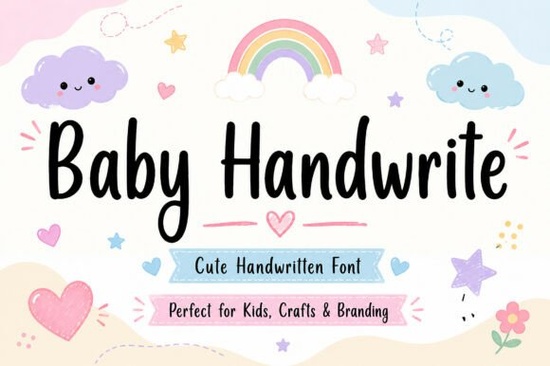
If you're designing for baby showers, nursery art, or children’s product labels, the Baby Handwrite Font is a gentle, legible choice that feels handmade without sacrificing clarity. It’s not overly decorative or childish it strikes a balance between playful and polished, making it easy to use across both print and digital projects. Whether you’re a small business owner creating custom onesies, a crafter cutting vinyl decals, or a designer building social media templates for parenting brands, this font adds warmth without looking generic.
What kind of projects does Baby Handwrite work well for?
This font shines where personality and approachability matter most. Think: baby announcement cards with soft watercolor backgrounds, wooden name signs for nurseries, organic cotton onesie tags, or Instagram story graphics for lactation consultants and pediatric therapists. Its slightly uneven baseline and subtle variation in stroke weight mimic real handwriting so your designs feel human-made, not computer-generated.
It’s also highly readable at small sizes, which helps when labeling tiny items like pacifier clips or baby food jars. Unlike some script fonts that blur together at 12pt, Baby Handwrite keeps its charm even in tight spaces. That makes it especially useful for print-on-demand sellers who need fonts that scale cleanly across mugs, blankets, and wall art.
How does it compare to other handwritten fonts on Creative Fabrica?
While many script fonts lean either formal (like elegant calligraphy) or ultra-casual (like messy chalkboard styles), Baby Handwrite sits comfortably in the middle. It’s friendlier than Allura Signature Font, more structured than Cralione Script Font, and less ornate than the cursive options in our 10-font wedding bundle. If you’ve used wedding script fonts before, you’ll notice Baby Handwrite has less flourish and more consistent spacing ideal for pairing with sans-serif body text.
For designers working across multiple niches, it’s worth noting that Baby Handwrite complements but doesn’t compete with fonts like wedding beauty fonts, which tend to prioritize elegance over playfulness. You wouldn’t use Baby Handwrite for a luxury bridal invitation, but you would reach for it when designing a “Big Sister” t-shirt for a toddler welcoming a new sibling.
Can I use it commercially?
Yes this is a commercial-use font licensed through Creative Fabrica. You can use it in client work, sell physical products (like printed posters or embroidered bibs), and include it in digital templates sold on marketplaces like Etsy or Creative Market. Just remember: you can’t resell or redistribute the font file itself, and embedding it in web fonts or apps requires checking the full license terms.
What should I pair it with?
Keep contrast in mind. Baby Handwrite works best with clean, simple typefaces think geometric sans-serifs like Montserrat or rounded options like Quicksand. Avoid pairing it with other scripts unless they’re very different in weight and style (e.g., a bold, modern brush script as an accent). For color, soft pastels, muted earth tones, or crisp white backgrounds let the font’s warmth stand out without competing.
Here’s a quick pairing tip: Use Baby Handwrite for headings and short phrases only. Let your body copy stay neutral no need to force personality into every line of text.
Where else might this font fit naturally?
Because it’s rooted in authenticity not trendiness it holds up well across seasons and styles. You’ll see it used in eco-friendly baby brand logos, Montessori classroom posters, breastfeeding support group flyers, and even small-batch soap labels for newborn skincare lines. Its versatility comes from restraint: it suggests care and attention without shouting.
If you're exploring similar options, browse our Allura Signature Font collection for contrast, or check out Cralione Script Font if you want something bolder for display use. But for baby-themed work specifically, Baby Handwrite remains one of the most consistently usable choices.
Before you download:
- Test it at actual size try typing “Baby Avery” and “6 months old” to see how it flows
- Check kerning in your design software; some letters (like “y” + “o”) may need slight adjustment
- Preview how it looks on light gray or cream backgrounds not just pure white
- Save a version with outlines if sending files to a printer
- Remember: readability > decoration when designing for parents scanning quickly
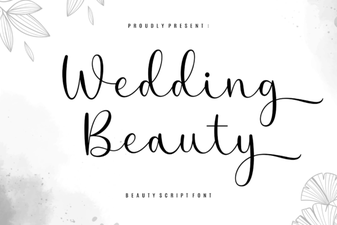 Wedding Font Ideas for Elegant Design Projects
 Wedding Fonts for Creative Invitation Designs
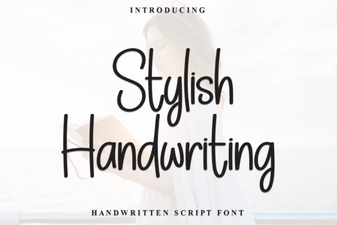 Creative Project Ideas with Stylish Handwriting Fonts
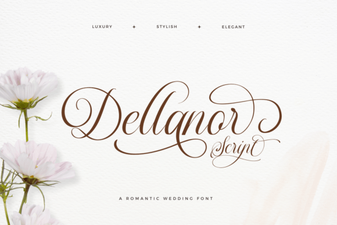 Dellanor Script Font: Elegance for Digital Designs
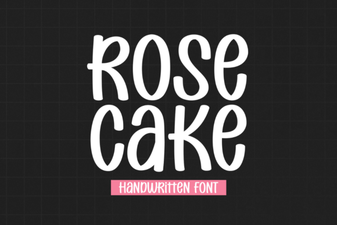 Designing Elegant Projects with Rose Cake Font
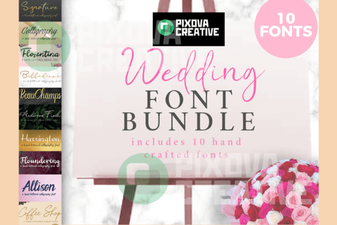 Creative Wedding Projects: 10 Perfect Font Bundles